
New Look, Same Power: Apollo’s Updated Sequence Interface
Jun 17, 2025
If you’ve logged into Apollo recently and thought,
“Wait... did this always look like that?”
You’re not wrong.
Apollo has released a visual update to the Sequence Builder interface—and while it might look different, the underlying functionality remains exactly the same.
What’s Changed?
This update is all about improving usability—without changing how sequences work behind the scenes.
The Old Interface
In the original layout, you had to:
-
Open and edit each step individually
-
Save and close before moving to the next
-
Click into “Advanced Features” to find the Skip Step option
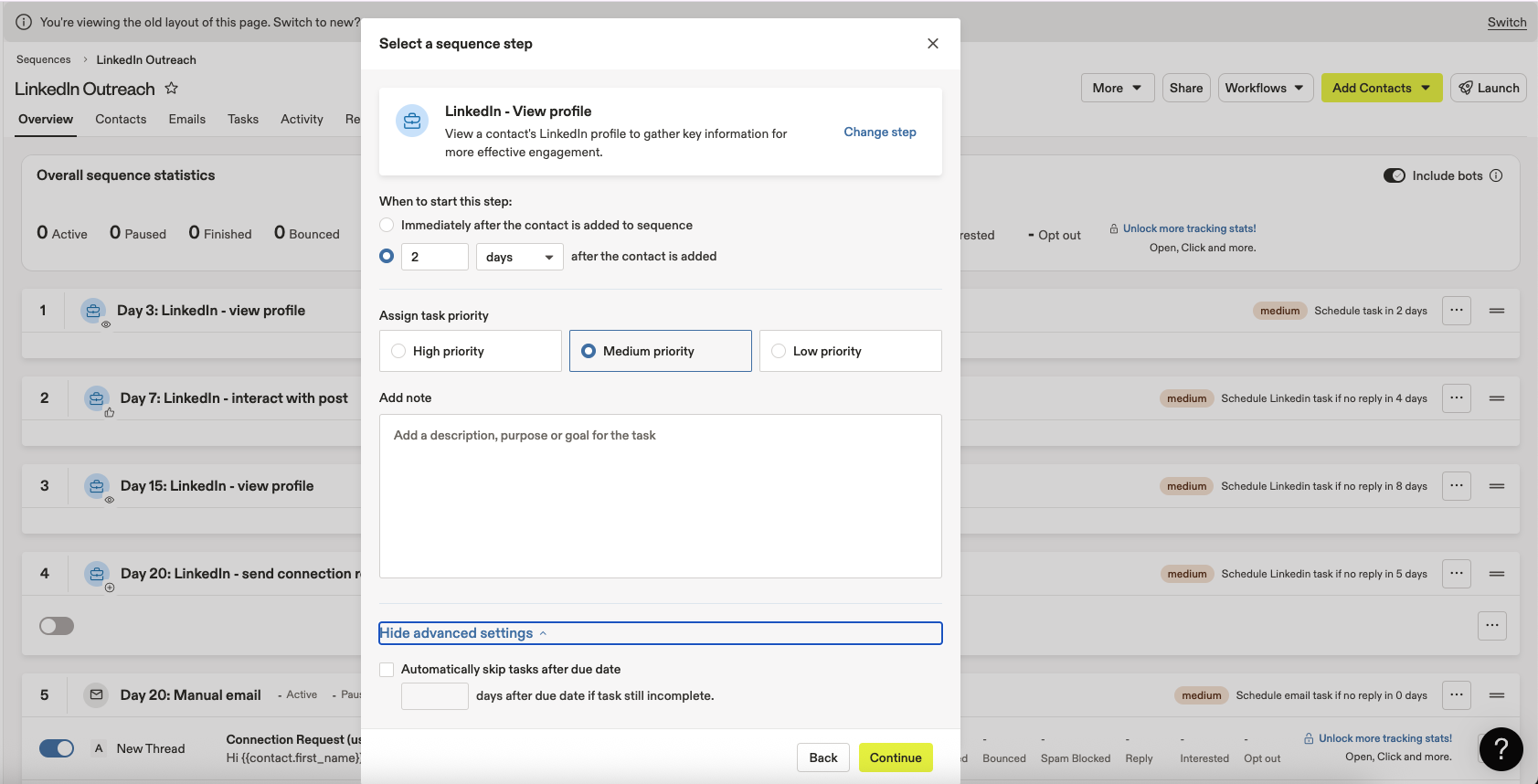
The original interface required opening and editing each step one at a time. “Skip Step” was buried under Advanced Features.
The New Interface
The new design makes building sequences faster and more intuitive. You can now:
-
View all steps on a single screen
-
Scroll freely through future steps—no saving/closing required
-
Access the “Skip Step” option as a visible checkbox, with a dropdown for the number of days
-
Collapse individual steps for a cleaner, high-level view of your sequence flow
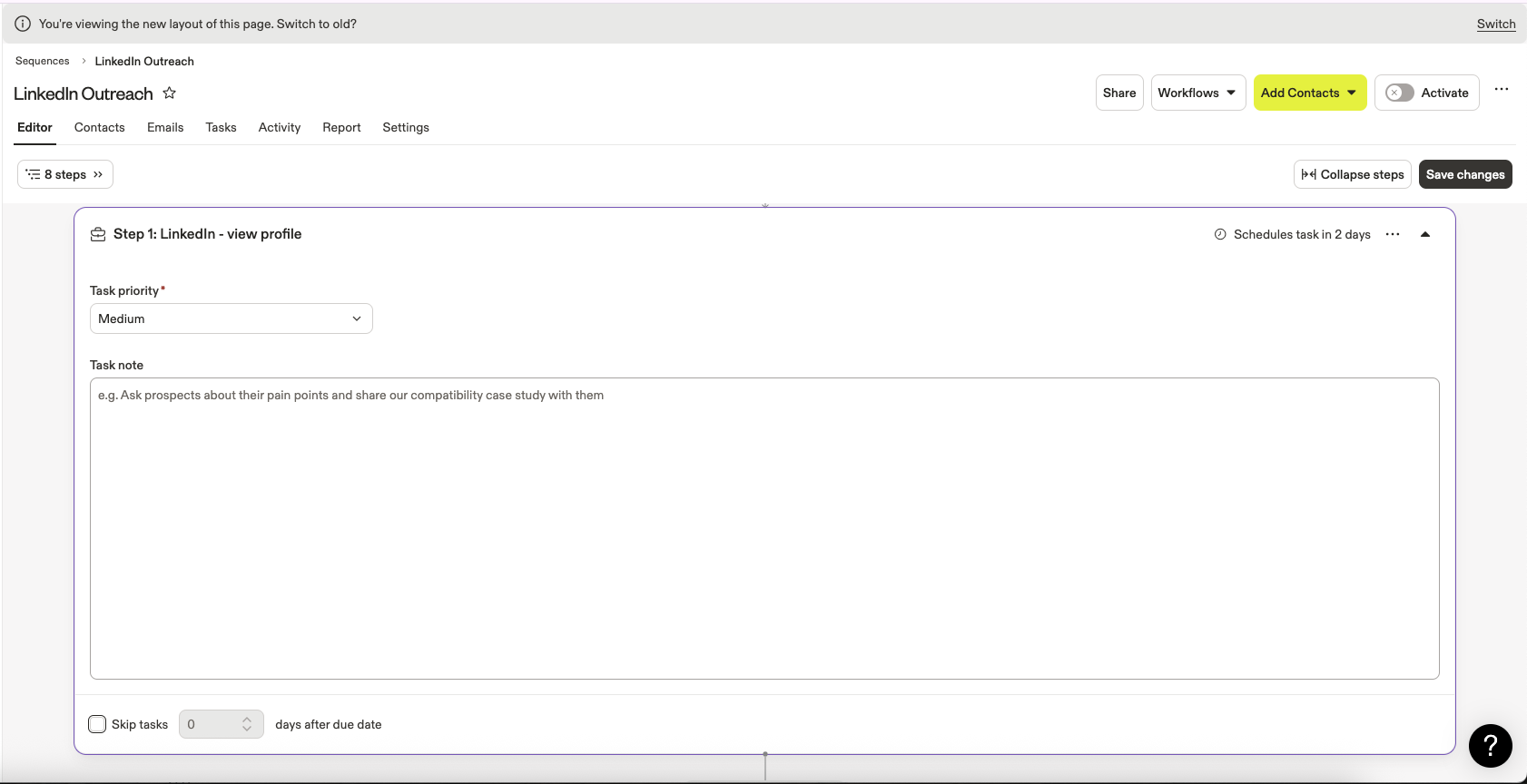
The updated layout shows all sequence steps in one view, with easy access to Skip Step settings.
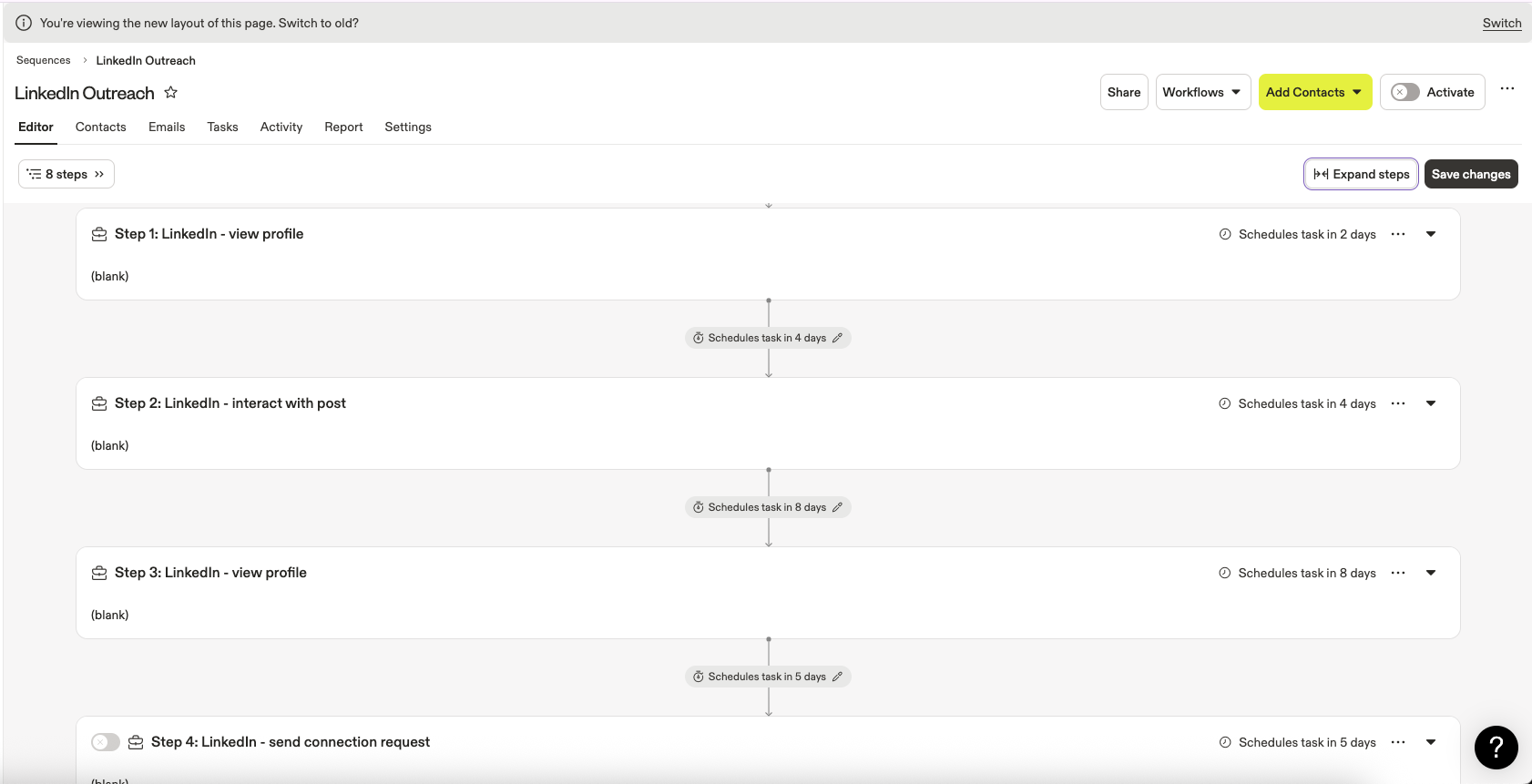
Collapse steps to tidy up your screen and focus on the big picture.
Can I Switch Back?
For now—yes!
Apollo allows you to toggle between the old and new layouts. That said, it’s unclear whether this option is available to all users, or only to those who were using the previous interface before the update rolled out.
Final Thoughts
While the interface might look different, the way your sequences behave hasn’t changed. Once you explore the new layout, you might find it easier—and faster—to build out the outreach workflows that keep your business moving forward.
Got questions about the update? Drop them in the comments or bring them to the next Office Hours (on the last Wednesday of each month at 10:00AM PT/1:00PM ET). I’ll walk through this change and others in real time!